






Quordle
Games similar to Quordle

Quordle

Quordle

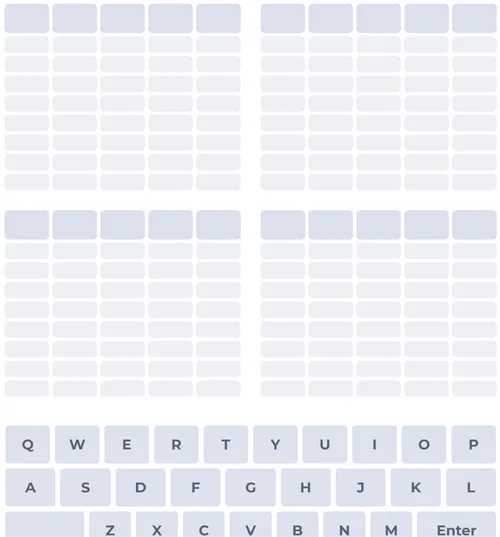
Quordle keeps the Wordle rulebook but multiplies the workload: four separate answers hide behind four small grids, and every guess you submit is copied into all four at once. You typically have nine attempts in total—not six—to turn every tile green across the board. Winning means all four words are solved; three perfect grids and one stubborn corner still count as unfinished business. The jump from one secret word to four is less about new mechanics and more about attention: you are always trading information between quadrants.

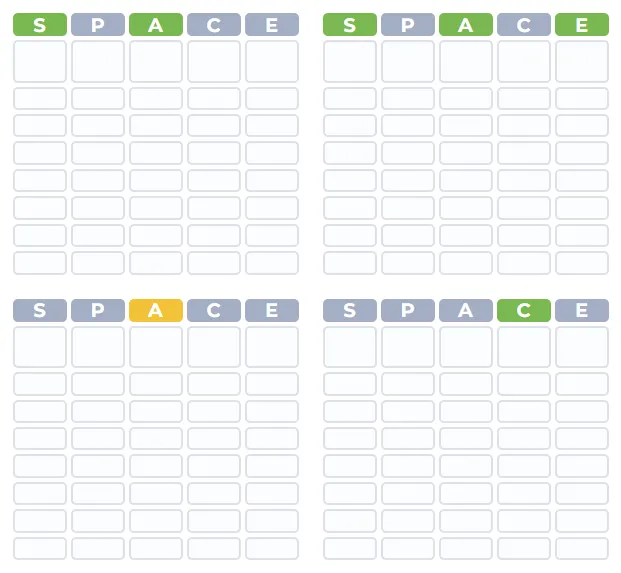
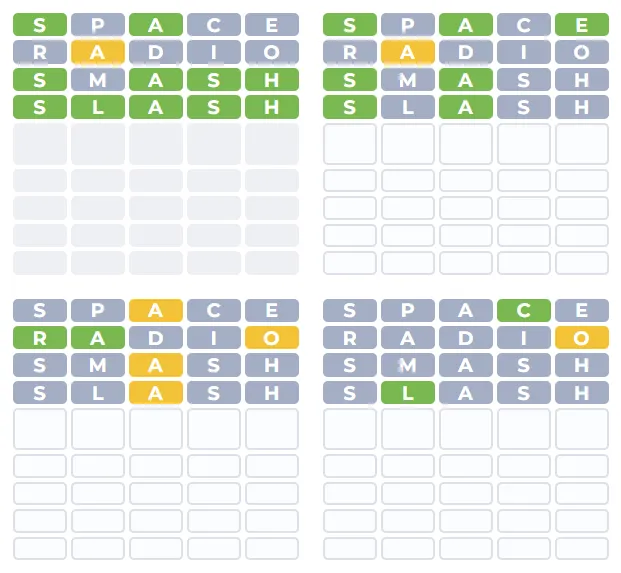
Feedback stays intuitive for anyone who has played Wordle. Green marks a correct letter in the correct place for that specific grid. Yellow means the letter belongs in that word but not in that slot. Grey (or a neutral tone) means that letter is not in that answer at all. The same letter in the same typed row can therefore look different in each mini-grid, because the four solutions do not share letters by design. To reduce mental load, many versions paint the on-screen keyboard in four segments—one per quadrant—so you can see how R or E is performing for the top-left puzzle versus the bottom-right without re-reading every row.

Beyond the core loop, players often get a daily puzzle everyone tackles on the same day—ideal for comparing scores—and an open-ended mode with fresh random sets when you want more practice. Settings commonly include word length from four to six letters (five is the usual default), multiple dictionaries or languages, and sometimes a visible timer you can hide if you prefer not to race the clock. The whole experience is built for the browser, so phones, tablets, and desktops all work without a separate app.

How to Play Quordle

1
Quordle four grids overview

1. Open four grids and set length if needed

Start the game and confirm word length (often 4–6 letters) and language in the menu if offered. Daily mode gives one shared puzzle per day; practice mode keeps generating new quartets.

2
Colour feedback on four Quordle grids

2. Enter a word and compare all four boards

Type a valid dictionary word with the right length and press Enter. The same word fills a row in each grid. Read greens, yellows, and greys separately—identical letters can mean different things in different quadrants.

3
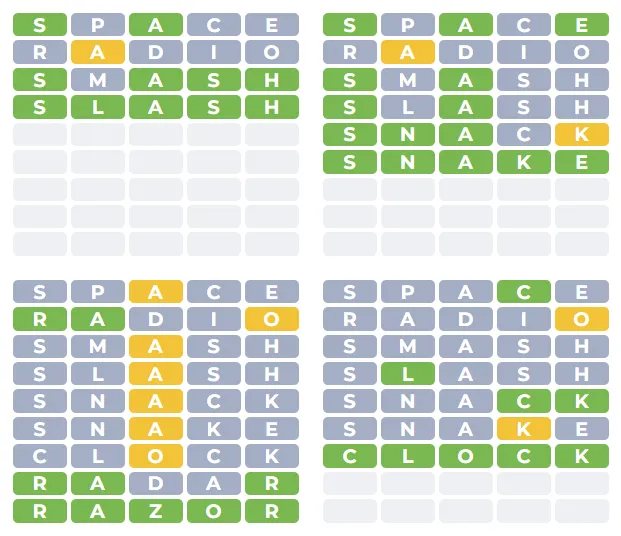
Completing all four words in Quordle

3. Use the keyboard map and finish every word

If the keyboard splits into four colour zones, use it to track letter states per grid. Keep guessing until all four answers are fully green within your try limit, then share your result if you like.

Managing four puzzles with one guess

Early guesses should still favour high-utility letters—plenty of vowels and common consonants—because you need signal on all four boards at once. After the first row, resist the urge to tunnel on whichever grid looks friendliest unless the others already have strong constraints. A guess that “finishes” one quadrant but ignores a cold board can leave you with too few lines left to recover. Think of each attempt as a budget: you are buying information for four separate locks with a single key shape.

When two grids disagree about a letter, trust the per-grid tiles, not your memory of the last Wordle session. The quartered keyboard exists precisely because human short-term memory buckles under sixteen parallel stories. Glance at which quadrant still allows a tricky consonant before you recycle it in a narrow guess aimed elsewhere.

Settings, languages, and sharing

Length toggles turn the same interface into a lighter four-letter sprint or a six-letter endurance run; pick what matches your mood. Language or regional dictionary options matter if you spell colour differently from your opponent. Daily mode synchronises the community and makes spoiler-free share grids meaningful; endless random mode is better when you are teaching a friend or warming up before the midnight reset.

Many builds expose an optional stopwatch or elapsed-time readout in the results panel; you can often hide it if you dislike speed pressure. After a successful round, compact emoji-style summaries (without revealing the words) are common—similar in spirit to Wordle—so you can brag or commiserate on chat apps.

Tips that scale with difficulty

  • Scan all four heat maps before typing: One yellow in a quiet grid may matter more than another green you were already sure about.
  • Do not hoard guesses for a single grid: Spread risk until every board has anchors.
  • Use the segmented keyboard as ground truth: It prevents mixing up which quadrant ruled out Q.
  • Match word length to skill: Shorter words mean fewer combinations but wilder ambiguity; longer words reward pattern recognition.
  • Play daily for streaks, random for drills: Alternating keeps the challenge fresh without burning out on one schedule.

FAQs about Quordle

You can play Quordle Unblocked right here at https://wordles.org/word-games/quordle/. Use the play button on this page to open the game—no download required. You can also play directly at quordly.com.
You have nine guesses to find four hidden words. Each guess is entered into all four grids. Green means correct letter and position for that grid; yellow means the letter is in the word but wrong position; grey means it is not in that word. You win only when all four words are fully revealed.
Wordle is one word and six guesses. Quordle is four words at once with nine guesses, and the keyboard usually shows four separate colour hints so you can tell how each letter behaves in each grid.
Each segment mirrors one grid. A key might show green for the top-left answer and grey for another, because the same letter can be valid in one word and absent in another.
Many versions let you pick 4-, 5-, or 6-letter words in settings. Daily mode uses the same four words for everyone that day; turning it on is usually done from the settings or mode menu inside the game.
The game only accepts words in its dictionary. If your guess is unknown or misspelled, you may see an error. If the word is too short for the current length setting, submit a full-width word before pressing Enter.